Byte Technology · 2020 · Shipped to Production
The admin dashboard that Byte's clients relied on to manage discounts was broken. I redesigned the experience end-to-end in 4 weeks.
ROLE
UX/UI Designer
PLATFORM
Web (B2B SaaS)
TIMELINE
4 Weeks
00 · Overview
What is Byte Technology?
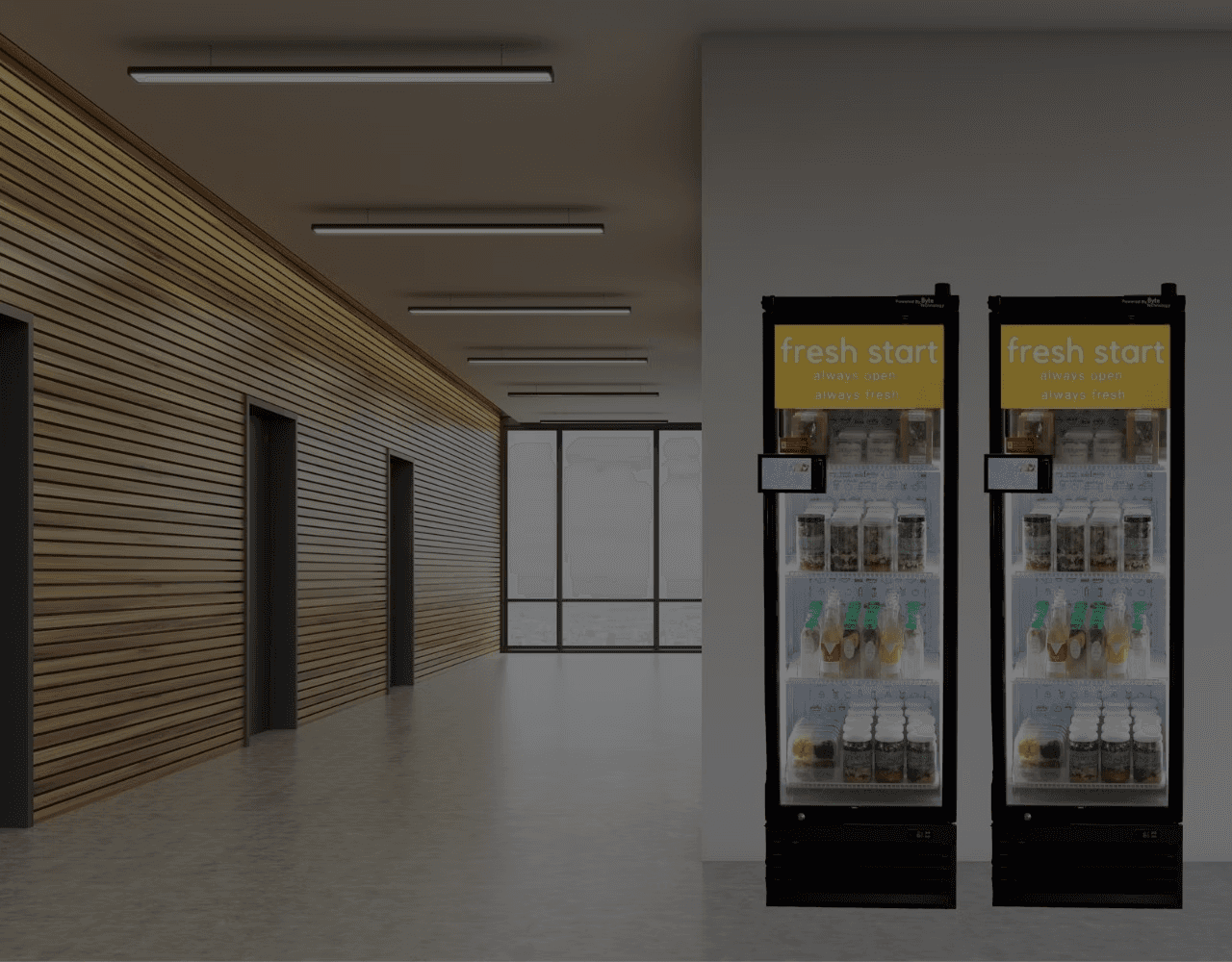
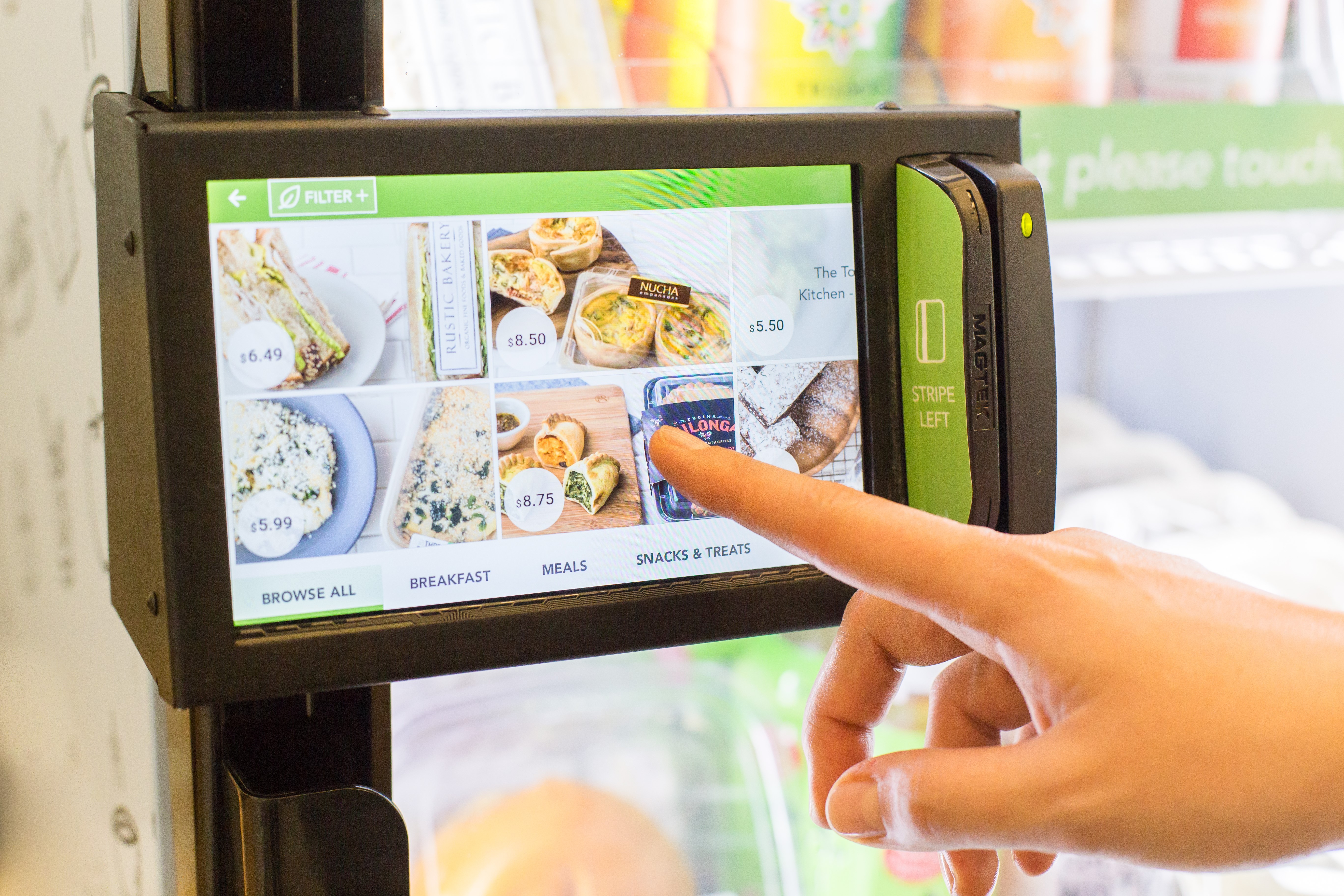
Byte builds smart refrigerators placed in workplaces, hospitals, and campuses across the US. Customers swipe a credit card, grab what they want, and walk away, RFID tags handle the rest. For some clients, this platform is mission-critical to their entire business
UX/UI designer working closely with Byte's PM and developer
Ran the analysis, user flow, wireframes, and hi-fi prototyping
Checked design decisions against engineering constraints throughout
My Contribution
Redesign of discount & coupon admin experience on Byte's B2B dashboard
New aggregated dashboard, create flows, detail views, and search UX
Handed off to Byte for usability testing and development
Project scope
01 · Problem
The discount feature was buried and barely functional.
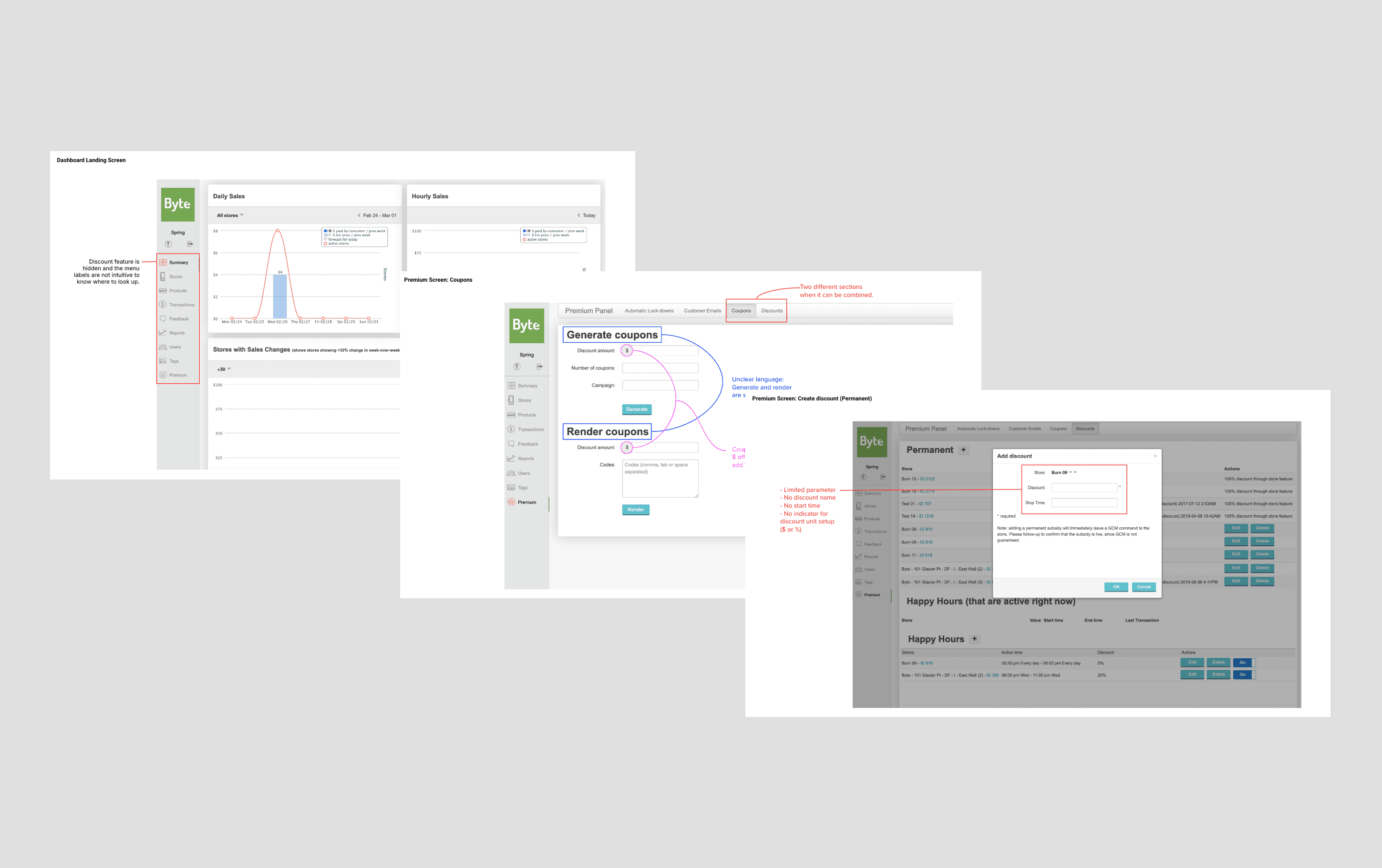
As a project kickoff, I audited the current dashboard. The discount admin was spread across 4 confusing flows, the forms were too limited for what clients actually needed, and the whole thing was hidden under a "Premium" panel.
Location subsidies
Permanent discounts split between client and location; e.g. 25% from each, stacking to 50%. Billable to either party.
New store promotions
Reduce spoilage
Auto-discount products approaching expiration based on shelf life. A big deal for clients selling fresh food.
Happy hour
Recurring discounts during slow hours (e.g. every Friday 4–6 PM) to move inventory before the weekend.
New features requested by Byte
Aggregated discount overview
"Currently live" visual indicator
Billing export to bill the location
Discount/coupon details
% or $ amount option
Option A: separated ✓
Users choose coupon or discount upfront. Each path stays focused. Byte agreed this was the right call.
vs
Option b: combined
Users create a "promotion" and choose type later. Simpler entry, but more confusion downstream.
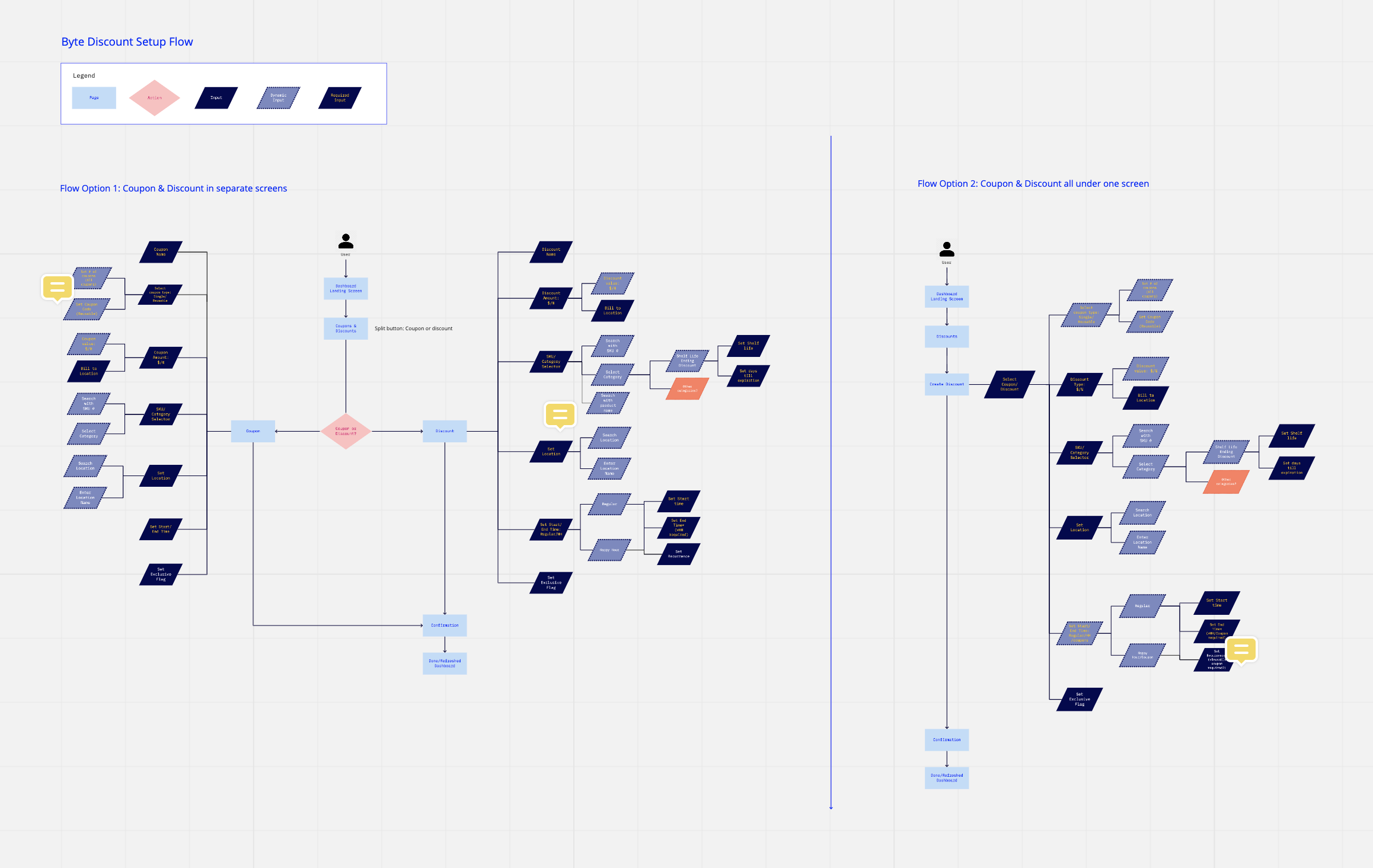
I recommended the option that separates the coupon and discount experience to the Byte team. By giving the user the decision point early on, they can focus on one category and avoid confusion. The Byte team ultimately saw the benefit of separating those two experiences and decided to proceed with the recommended user flow.
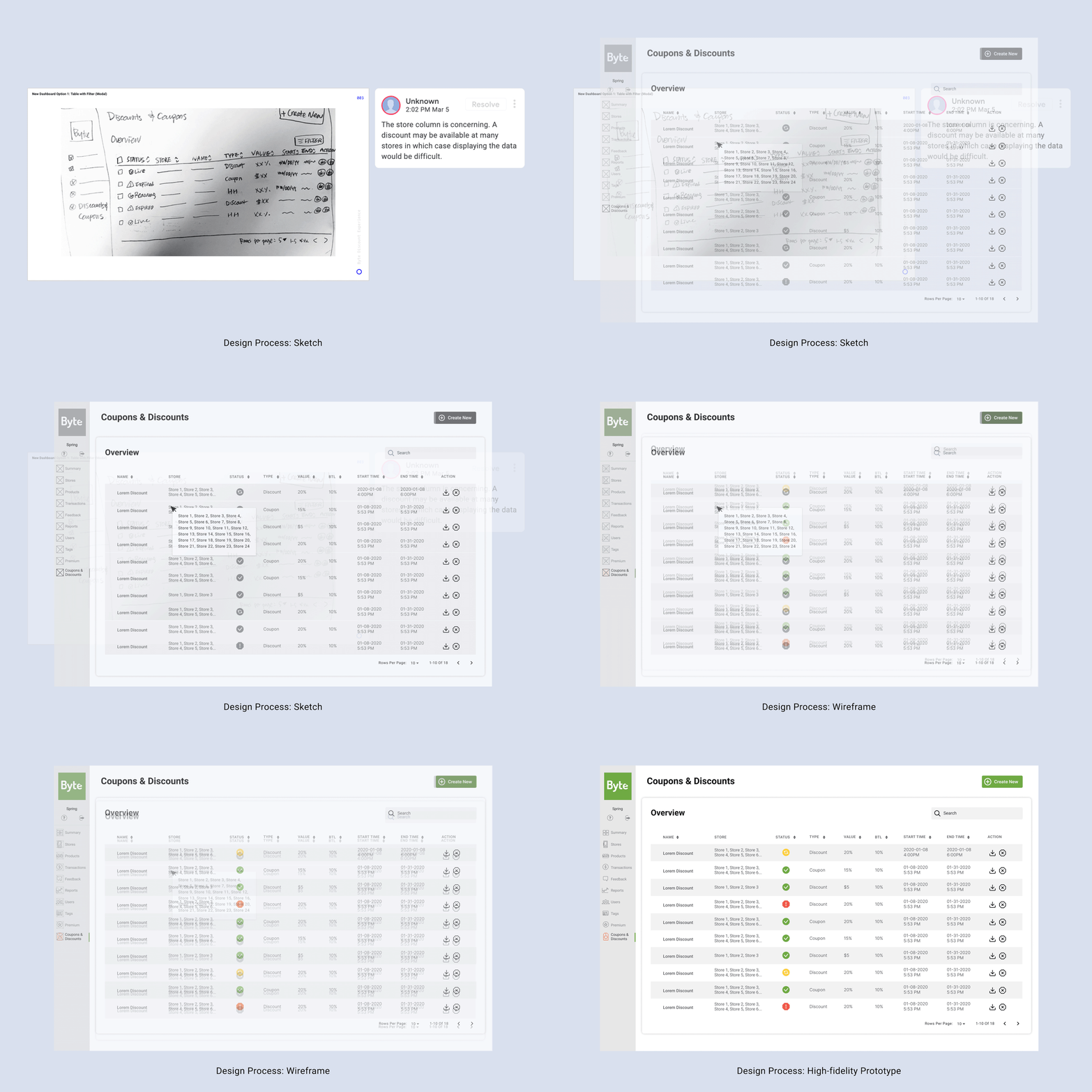
Design Highlights
New Coupons & Discounts
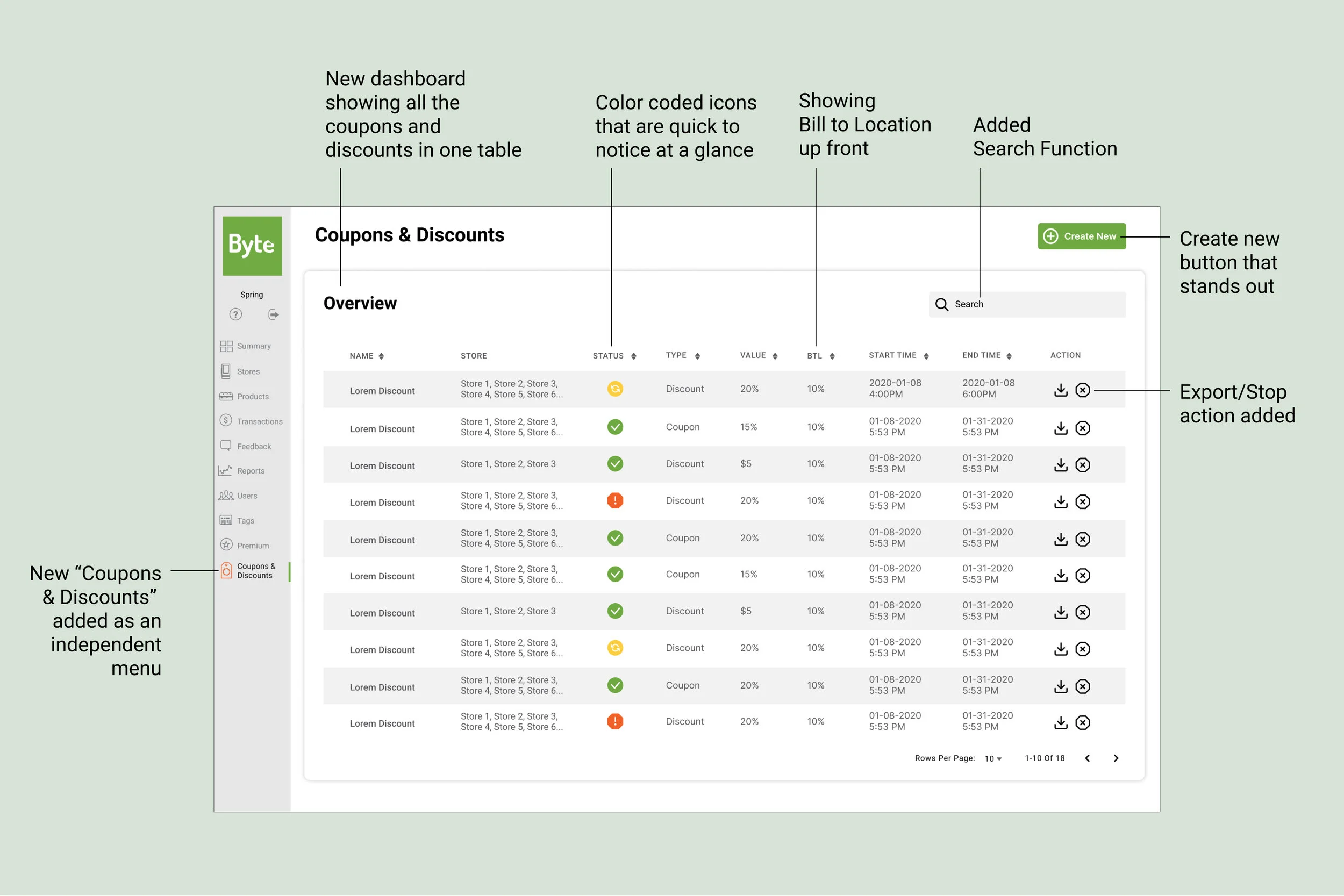
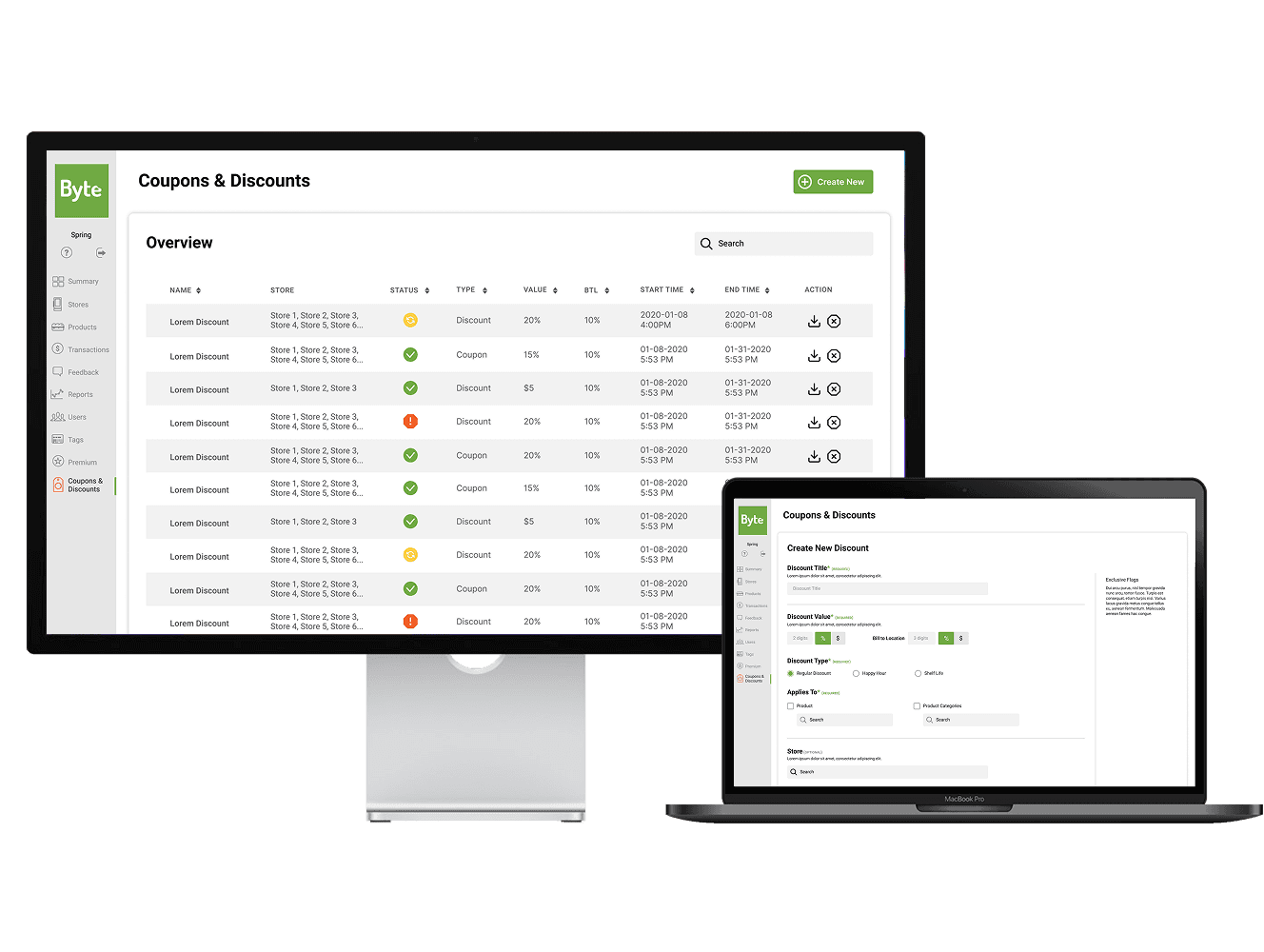
All discounts and coupons in one table. Color-coded status icons, Bill to Location column upfront, search, and export/stop actions per row. "Coupons & Discounts" got its own sidebar menu item instead of being buried under Premium.
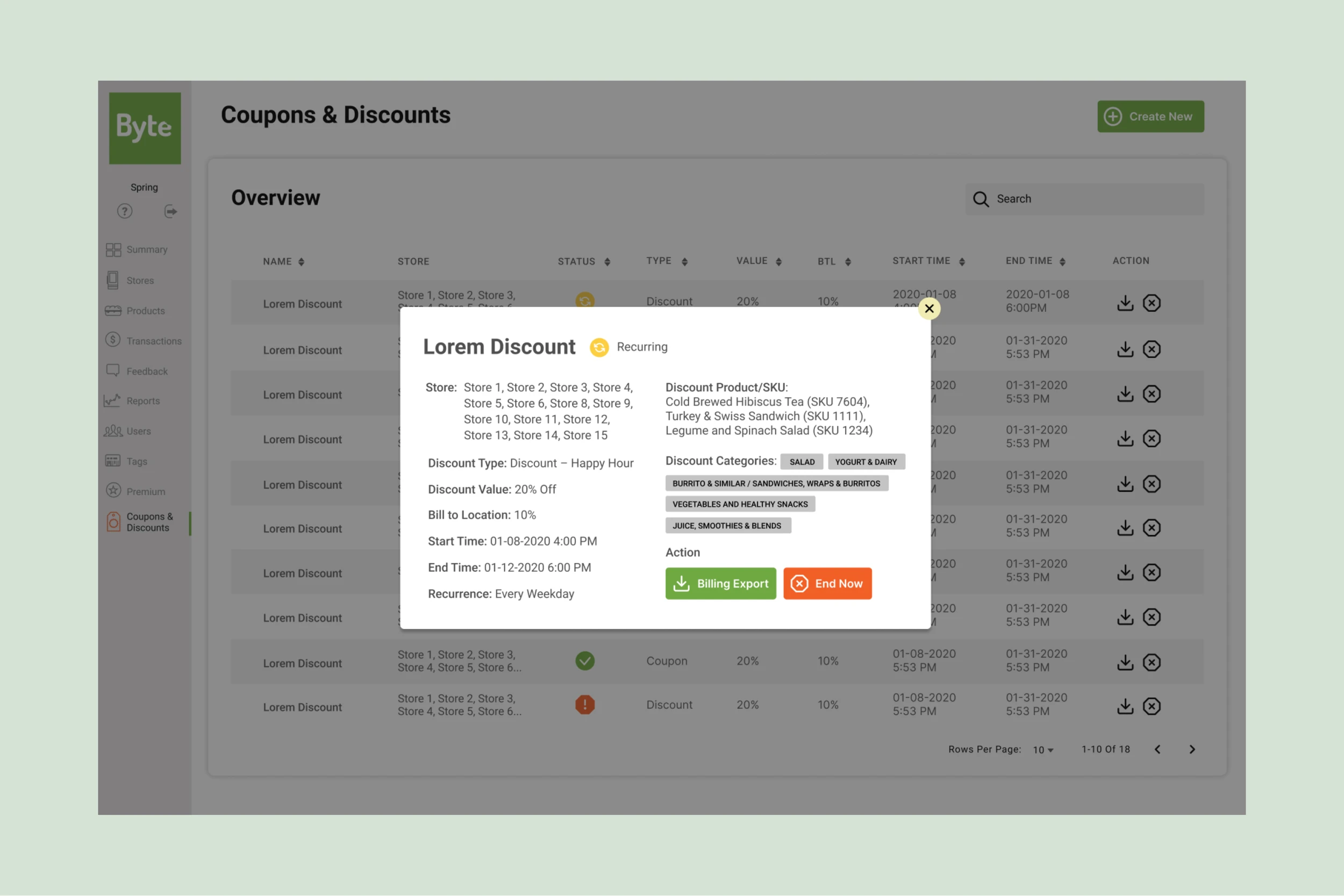
Discount Details Modal
Clicking a discount name opens a modal with everything: stores, products, SKUs, categories, billing split, schedule, recurrence. Billing export and "End Now" buttons are right there too.
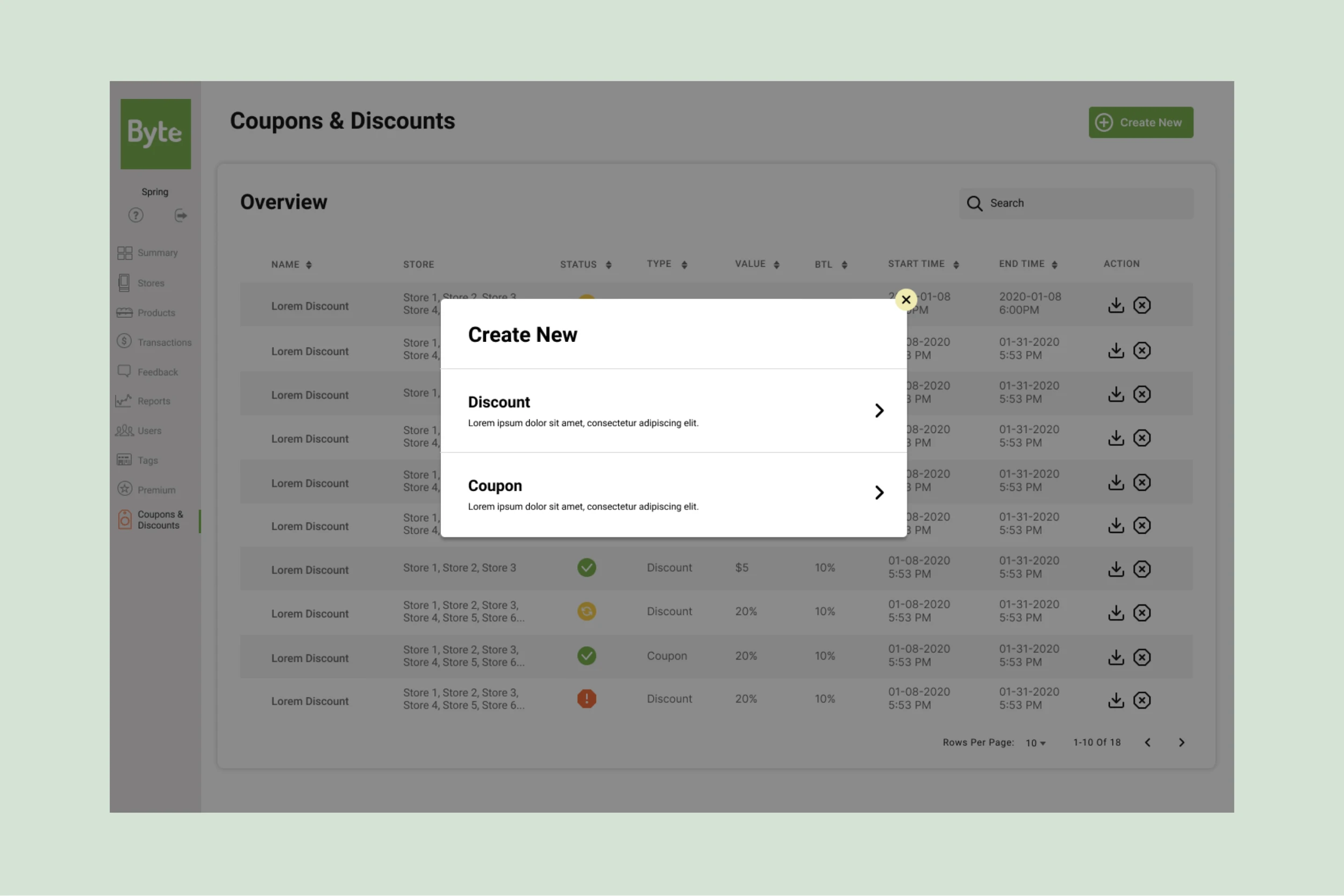
Create New: Type Selector
A modal with options to create a new discount or a new coupon. Each option has a short description so users know what they're getting into.
Discount Details Modal
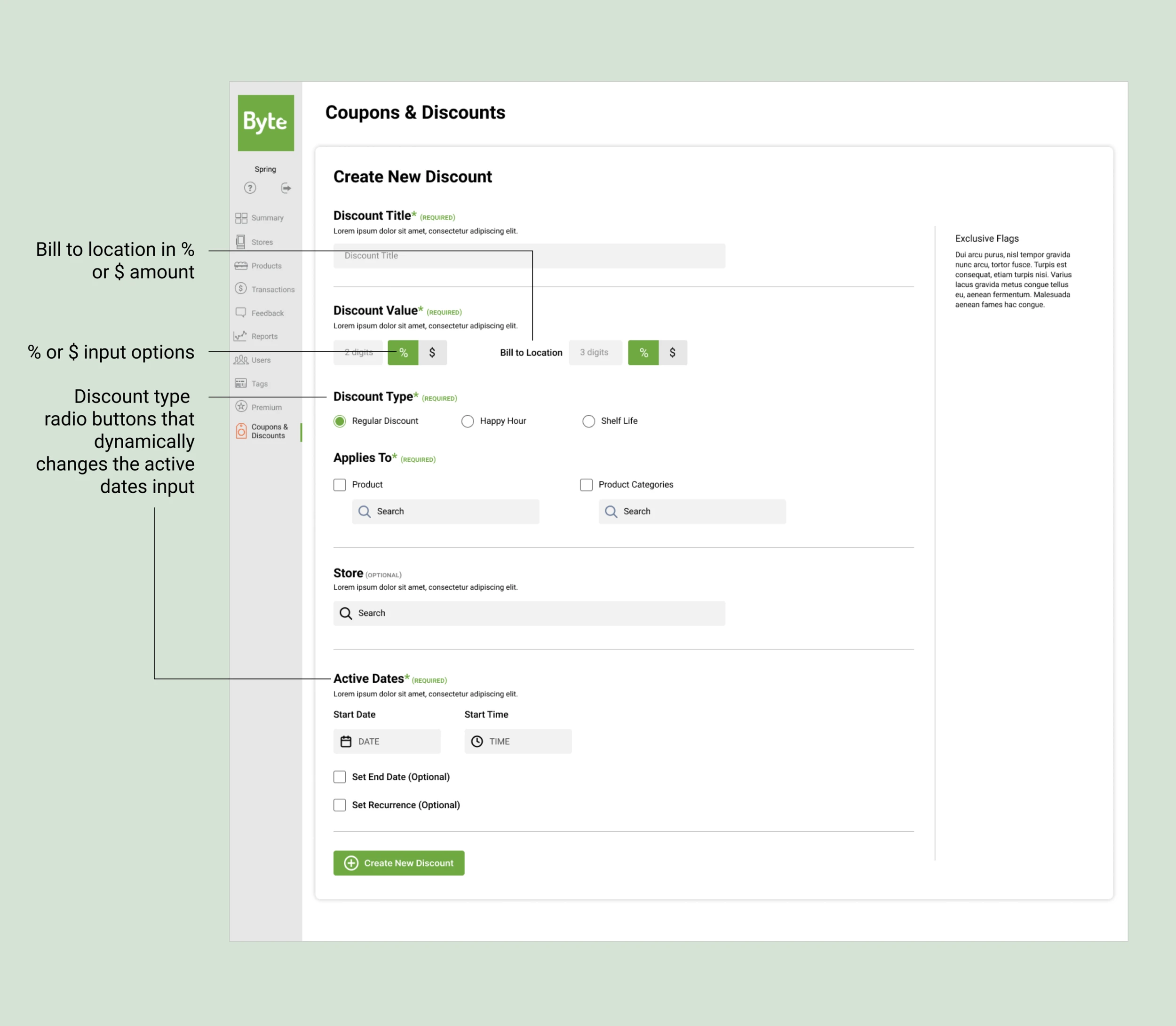
One form replacing 4 old flows. Users pick % or $ for both the discount value and bill-to-location. Discount type (Regular, Happy Hour, Shelf Life) changes what date/time options appear. Product and category search, store picker, and optional recurrence are all on the same page.
Search UX Pattern
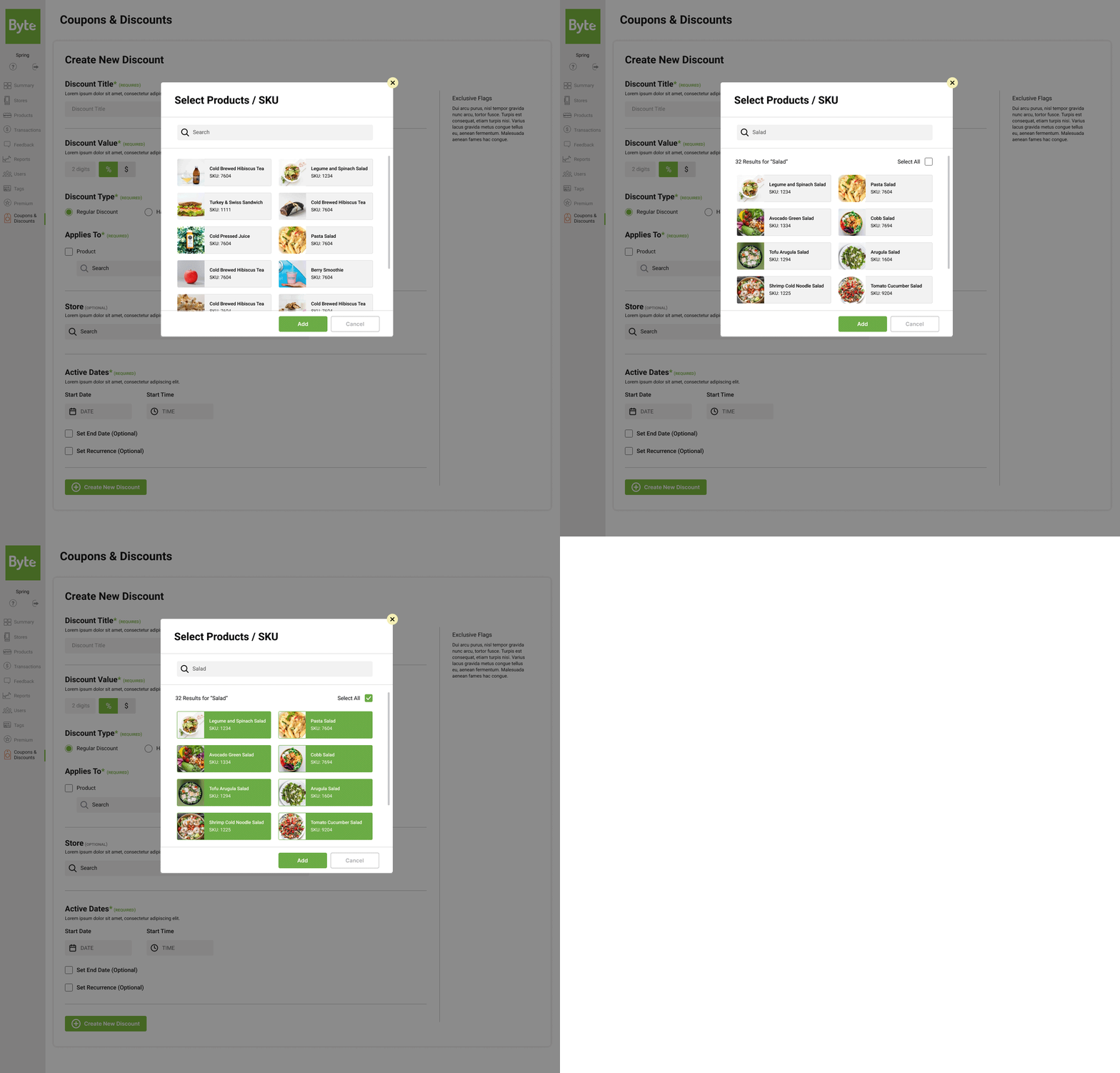
Instead of scrolling through a long radio button list, users get a searchable modal with visual product cards showing images and SKU numbers. They can select multiple items and see their selections as they go.
What worked
Separating coupons and discounts early got rid of the confusion from 4 overlapping workflows. Byte's team said this alone was a big improvement.
What I'd explore further
Test edge cases in the SKU selector (like "all products except one category") and validate the forms with less tech-savvy operators.
Working within Material UI, Byte's engineering constraints, and a 4-week timeline pushed me to make every decision count.

Next Project